Upsell
Click on the button Enable Upsell to create various upsell options. After that you can see the options: No Food, One-time upsell and No Drinks.
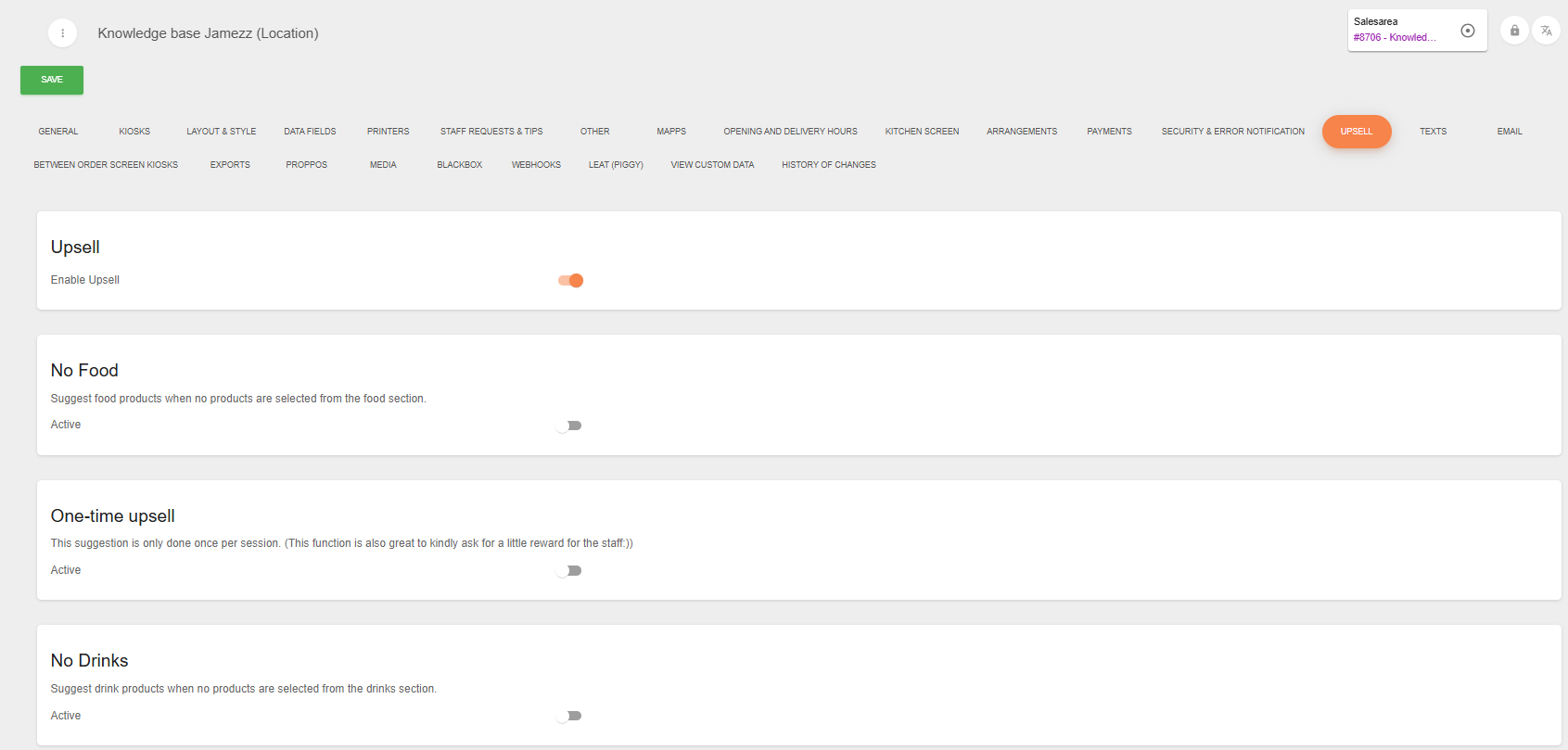
No Food
If you would like to have an upsell that suggest food products when no products are selected from the food section, click than on the active button. After that you can set up this with an title, description and suggested products:

For example you can create that if there is no food in the shopping cart, that they are asked food products that you have selected by suggested products.
One-time upsell
This setting will be used is you would like to have a suggestion that only done once per session. You can shown the upsell when the menupage opens or when the shopping cart opens.
And you can select the ordermode. The options are eat-in or take away, only eat in or only take away.
Fill in a title and a description and the suggested products.

No Drinks
These settings are the same as the "No Food" option. The only difference is that guests only order food and no drinks, and you can configure it so they are shown suggested drink products.

💡Good to know! The main difference between these three types of upsells is that the one-time upsell is always visible, while the 'no food' and 'no drink' upsells are only visible when there are no food or drink products in the customer's cart.
And there are more options to create upsell. You can also create by a product upsell. How that works can you read here: https://knowledge.jamezz.com/knowledge/product-upsell