If you have an account in Jamezz BackOffice you can create more users that get access to Jamezz BackOffice.
💡Good to know! It is important that each user has a separate account, because Jamezz works with a 2FA authenticator. You can read how to set up the 2FA authenticator here: https://knowledge.jamezz.com/migration/knowledge/how-do-i-setup-2fa-authentication
Step 1. Login to the Jamezz BackOffice and navigate to the salesareas tab to find your salesarea.
Step 2. Filter on the salesarea through the magnifying glass and navigate in the left menu on Users.
Step 3. Here you can create a new user through press the button + NEW USER.
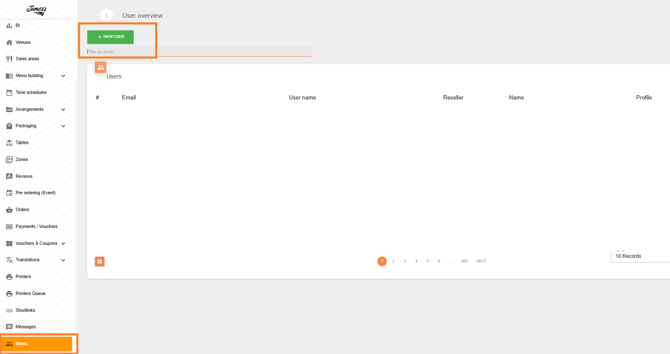
After that you can set up all the details from the user, for example the language of the Jamezz BackOffice, valuta, first and last name. Very important the username and e-mailadress. Most of the time both are your e-mailadress.
You need also the right salesarea(s) to can work with Jamezz BackOffice. In the tab salesareas you find the locations to which you have access. If you can't find your desired sales area within Jamezz, it may be that this sales area has not yet been linked to your account. Please contact Jamezz support to add the salesarea to your account.