First of all you need an account from Leat.
Go for it! Create your account on: https://business.leat.com/sign-up
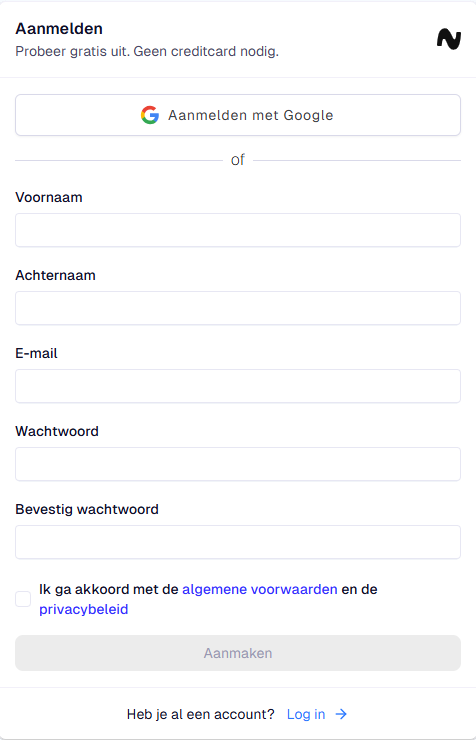
After that, they send an e-mail to e-mailadress and there you verificate your account.
Now you have an account in Leat and you can fill the required credentials in Leat.
We would like to tell you how you set up the integrations in Leat.
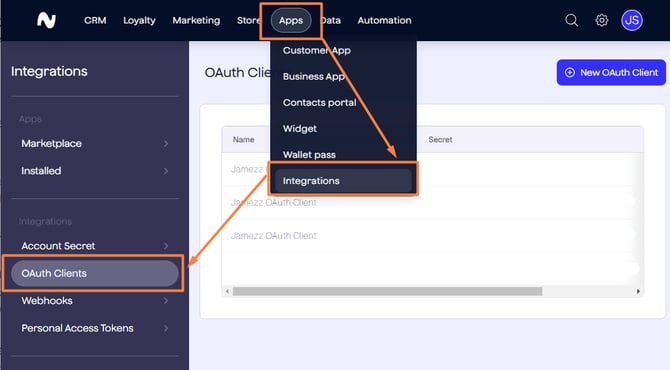
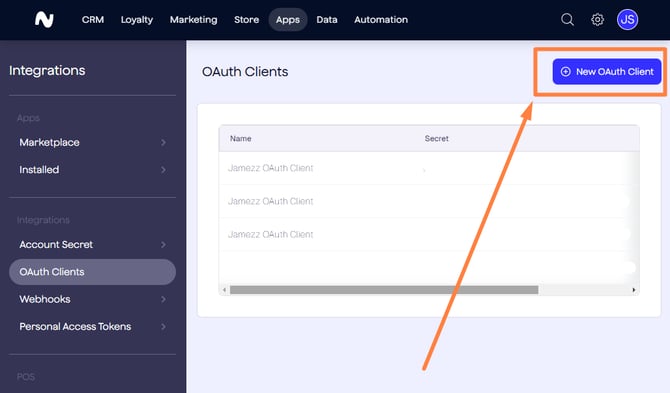
Step 1. Go to Apps > Integrations and click on OAuth Clients to create a new OAuth Client and Secret:
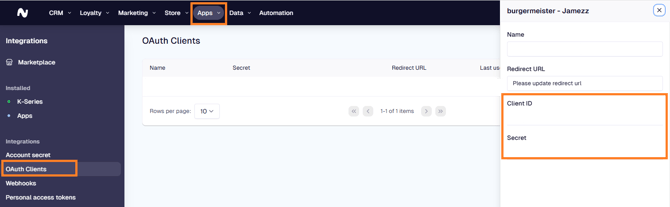
Your Shop UUID find you in the settings of Leat > Business Profiles:
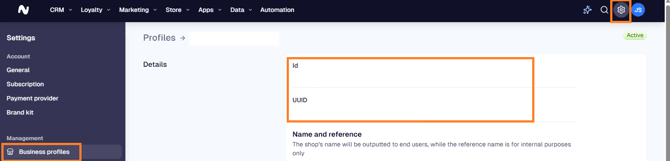
Now you have the credentials in Leat. These credentials are also important for the BackOffice in Jamezz. To make the link between Leat and Jamezz we also set up the credentials in Jamezz.
Step one. Login to the Jamezz BackOffice and navigate to the salesareas tab to find your salesarea. Step two: edit the salesarea with the pencil icon and navigate to the Leat tab.
Here you can find also the OAuth Client ID, OAuth Client Secret and Shop UUID. Fill the credentials of Leat here in the BackOffice of Jamezz.
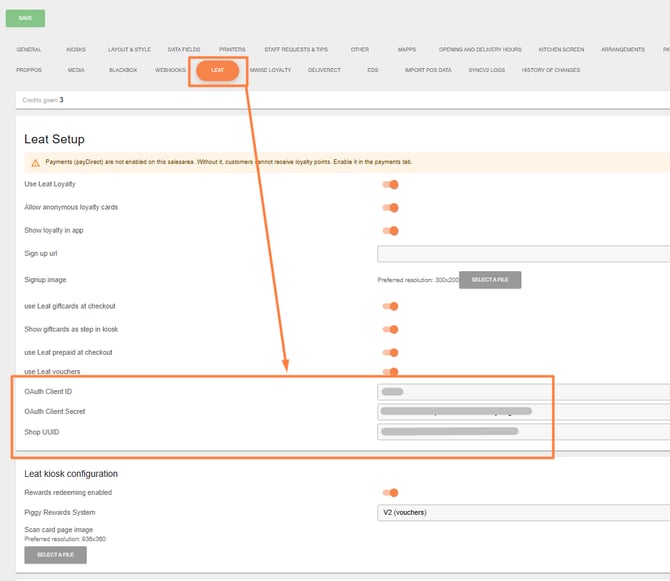
After you have followed all of the steps above you have successfully setup Leat in Jamezz.