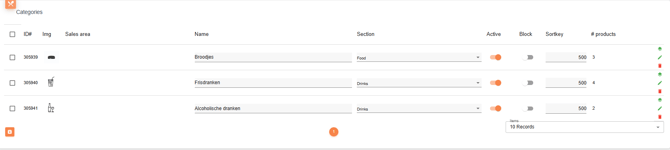
In the category overview you see the most important things to know.
The ID #, image of the category, the salesarea, the name, the section (food or drinks), active status or block status and the sortkey. The sortkey determines the order in which the products are displayed in your application. You’ll also see the # products column, which shows how many products are currently assigned to that category.
Standalone
If you work standalone with Jamezz, you don't sync with a POS system than you can set up the category directly in Jamezz. You can choose the green button to create a new category.
