In Jamezz it is possible to create and use Campaigns to create actions for your customers.
Step 1. Login in the BackOffice of Jamezz and navigate to salesareas.
Step 2. Filter on the salesarea through the magnifying glass and navigate in the left menu on Menu Building > Campaigns.
Step 3. To create a new campaign you click on the button: + CREATE NEW CAMPAIGN:
and don't forget to add a campaign discount product!
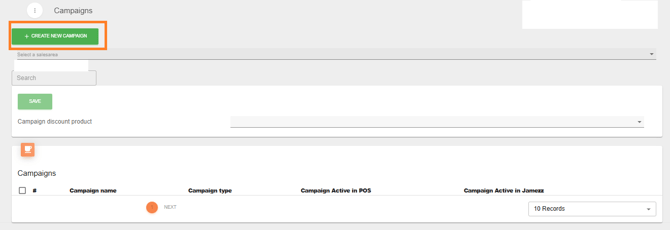
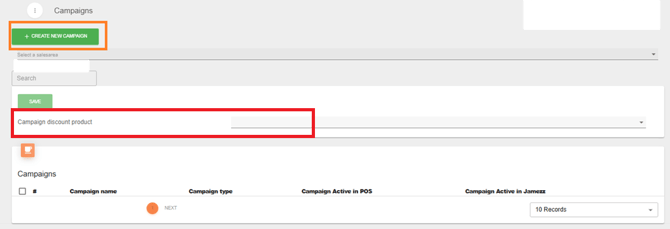
Step 4. Here are the settings that you can fill in to make a campaign.
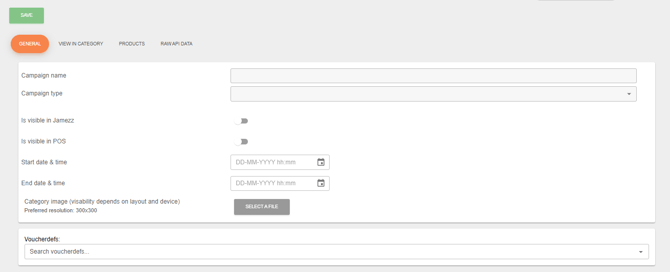
Campaign name: This is the name of the campaign.
Campaign type: Here we have five options that you can use. We would like to explain it to you:
X_FOR_Y: It means that your customers buy .. products for .. euros.
BUY_X_PAY_Y: Here you get .. products and pay for .. products.
X_PERCENTAGE_OFF: .. percentage off ..
XTH_ITEM_Y_PERCENTAGE_OFF: It means that from a certain number of products .. % off. X_PER_GROUP_FOR_Y: You can make a group of products and that with a special price.
Is visible in Jamezz: This button must be on to use the campaign.
Start and end date & time: It’s basically what the name says, the start and end date/time for the campaign.
Category image: (visability depends on layout and device): You can upload an image for the campaign like with a preferred resolution: 300x300
Voucherdefs: If you have a collection voucher you can use this function. It means that the campaign works with a voucher code. The customers scan the voucher to get the campaign.
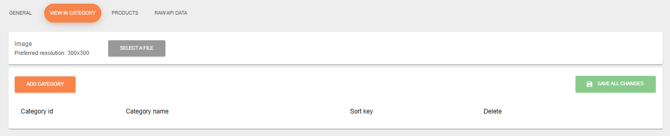
Step 4. If you save the basic settings of the campaign, you can go to the second tab: view in category. Here you can upload the image and add categories where you would like to show the campaign.
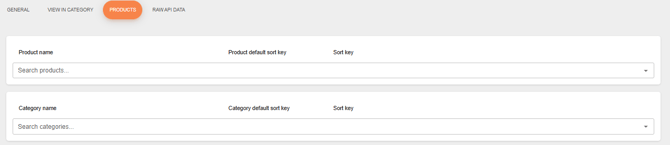
Step 5. In the third tab: products, you set up the products and categories you would like to use in this campaign.
After these information, you know everything of campaigns in Jamezz. If you still have questions, feel free to contact support@jamezz.nl